CoolNovo Password Decryptor is the FREE tool to instantly recover all the Login passwords from CoolNovo Web browser.
CoolNovo (formerly Chrome Plus) is an emerging Chromium based web browser. In addition to existing features of Chrome, it also has some useful features such as Mouse gesture, Super drag, IE tab etc.
'CoolNovo Password Decryptor' automatically detects the CoolNovo profile path for the current user and decrypts all the stored website login passwords.
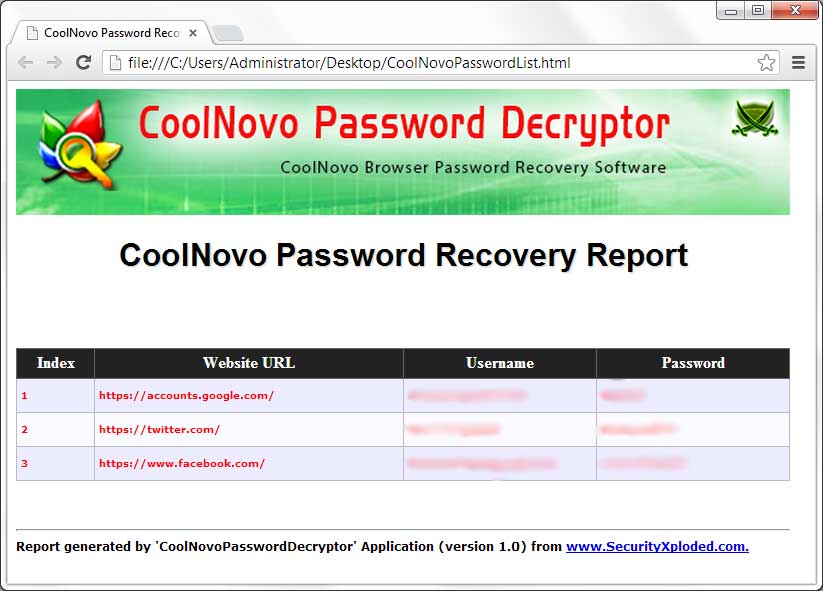
After the successful recovery, you can backup the recovered passwords to HTML/XML/TEXT file.
It is very simple and easy to use tool with its cool GUI interface. It has been successfully tested with all versions of CoolNovo including latest v2.0.6.12
It works on both 32-bit & 64-bit platforms starting from Windows XP to latest operating system, Windows 8.
Features
Instantly decrypt and recover stored passwords from all versions of CoolNovo browser.
Automatically discovers 'CoolNovo Profile Path' for current user.
Support for Drag & Drop of CoolNovo Profile path.
Provides option to sort the displayed password list by username, password or website.
Backup the Recovered CoolNovo password list to HTML/XML/Text file .
Integrated Installer for assisting you in local Installation & Uninstallation.
Installation & Uninstallation
It comes with simple Instaler that helps you to install it locally
on your system for regular usage. It has intuitive setup wizard which guides you through series of steps
in completion of installation.
At any point of time, you can uninstall the product using the
Uninstaller located at following location (by default)
CoolNovo Password Decryptor is easy to use with its simple GUI interface.
Here are the brief usage details
Launch CoolNovo Password Decryptor on your system
It will automatically display the default CoolNovo
profile path for current user.
However you can change the path using the
'browse' button or simply Drag & Drop your Profile folder.
Next click on 'Start
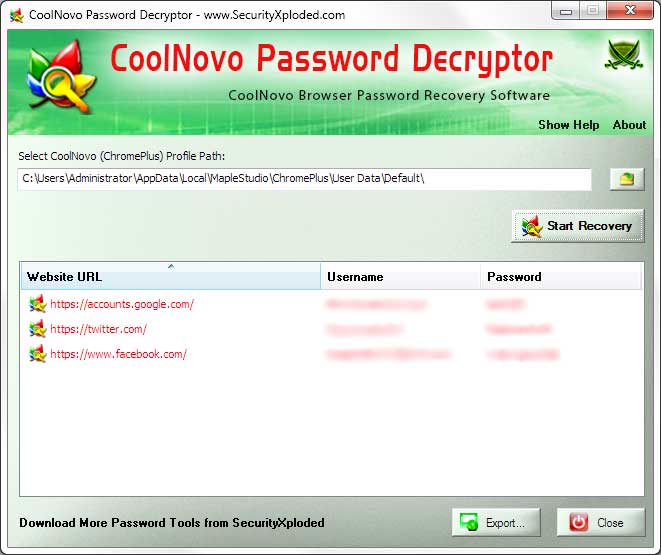
Recovery' button and all stored passwords from CoolNovo will be recovered & displayed in the list as shown in screenshot 1
below.
Now you can right click on the Password List and copy the password selectively.
Finally you can backup all recovered password list to
HTML/XML/Text
file by clicking on 'Export' button and then select the type
of file from the drop down box of 'Save File Dialog'.
Screenshots
Screenshot 1: CoolNovoPasswordDecryptor showing the Recovered Web Login Passwords from CoolNovo browser.
Screenshot 2: HTML password recovery report generated by CoolNovo Password Decryptor
Release History
Version 1.5 : 26th Apr 2013
Added right click context menu to the Password list to quickly copy the password
Version 1.0 : 20th Feb 2013
First public release of CoolNovo Password Decryptor