|
| Net Database Scanner
Version: 3.0
|
|
|
|
|
|
|
|
|
|
|
| |
|

|
Network Database Scanner is the free software to remotely detect the type of Database services running on the network system. It can help you to scan single or multiple systems on your internal network or on the Internet. |
|
|
|
It uses smart timer based Connect method which makes the scanning faster than traditional approach.
Current version supports following popular Database Services,
- MySQL
- MSSQL
- Oracle
- DB2
- PostgreSQL
After the successful scan, it also performs fingerprint verification for few Databases. In case of MySQL, it can even detect the database version.
Penetration Testers can use it to quickly detect all database servers in the network. Then based on the type of Database, they can use others tools such as Mysql Password Auditor, Oracle Password Auditor etc to get greater results.
'Network Database Scanner' works perfectly on 32bit & 64 bit systems across all Windows platforms starting from Windows XP to Windows 10.
|
| |
- Remotely detect type of Database services
in the network.
- Supports popular database services such as MySQL, MSSQL, Oracle, DB2, PostgreSQL.
- Scan single or
multiple systems on the local network/Internet.
- Smart Connect method makes scanning faster
- Ability
to stop the scanning operation at any time.
- Automatically remember and restore last settings
- Save the Database Scan report to HTML/XML/TEXT/CSV file
- Support
for local Installation & Un-installation.
|
| |
|
| It comes with simple Instaler that helps you to install it locally
on your system for regular usage. It has intuitive setup wizard which guides you through series of steps
in completion of installation. |
|
| At any point of time, you can uninstall the product using the
Uninstaller located at following location (by default) |
|
[Windows 32 bit]
C:\Program Files\SecurityXploded\NetDatabaseScanner
[Windows 64 bit]
C:\Program Files
(x86)\SecurityXploded\NetDatabaseScanner |
| |
| |
|
|
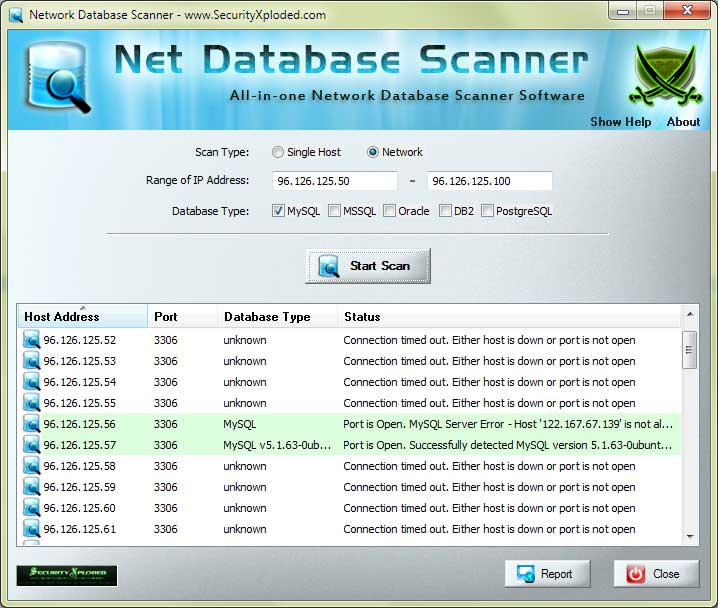
NetDatabaseScanner is GUI application which comes with simple interface and
makes it easy to use even for beginners. |
|
Here are simple steps
- Launch NetDatabaseScanner on your system after installation.
- Select
single or network to scan for single or multiple systems.
- Enter
the start & end IP address of host. Note that only 'class C'
network range is supported.
- Then select the 'Database Services' (like MySQL, Oracle etc)
- Finally click on 'Start
Scan' button to begin the database scanning operation.
- It
will scan and display the status as well as results in the
list box as shown in the screenshot below.
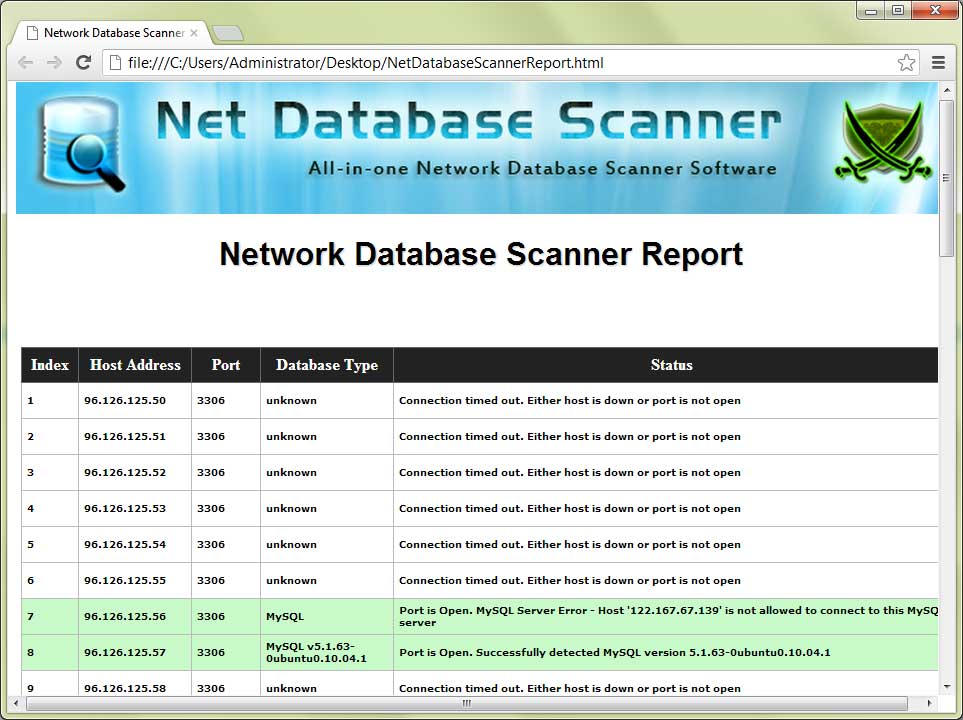
- At the end, you can save scan report to HTML/XML/TEXT/CSVfile by clicking on 'Report' button and then select the type
of file from the drop down box of 'Save File Dialog'.
|
|
|
|
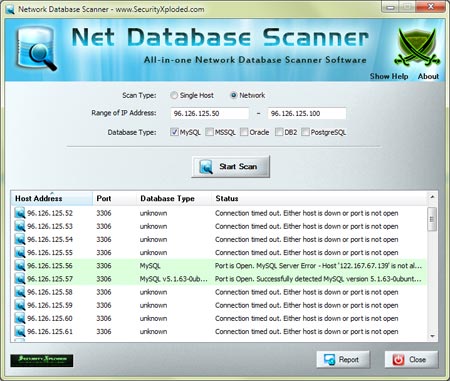
| Screenshot 1: Net Database Scanner scanning range of systems on Internet and reporting MySQL database along with its version. |
|
 |
|
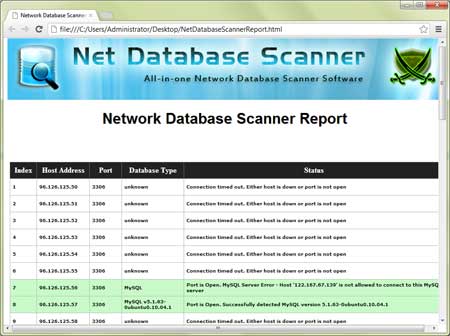
| Screenshot 2: HTML based Database scan report generated by NetDatabaseScanner |
|
 |
| |
| |
|
| Mega 2016 edition to support for database scanning operation on new Windows 10 version. Also added new Installer. |
| |
| Integrated Uninstaller into Windows Add/Remove Programs, now you can uninstall it in a standard way. |
| |
| New feature to generate database scan report in CSV (Comma-Seperated Values) File Format. Improved GUI interface with glowing icon effects. |
| |
| Added quick download link and fix for screen refresh problem during database scanning operation. |
| |
| First public release of NetDatabaseScanner |
| |
|
| |
|
|
|
| |
|
|
|
|
|
|
|