SecurityXploded.com
Mailing List Join us on Google+ Twitter facebook Youtube RSS Feeds
Download Hash Verifier : Download File Hash Verification Tool | www.SecurityXploded.com


DownloadHashVerifier


See Also


Contents
 
 
About

Download Hash Verifier is the FREE tool to verify the integrity of your downloaded file.

It makes file hash verification easier and quicker with its smart features such as 'Auto Hash Detection', 'Drag & Drop File', 'Instant copy from Clipboard' etc

Hash verification is a standard mechanism used to verify that downloaded file is original and not tempered. Often it happens that hackers modify the download files on the server and plant it with trojans/spywares.

Upon downloading and installing such softwares your PC will get infected eventually. To prevent such things, websites generally publish MD5 or SHA256 hash of the original file so that you can verify the same after you have downloaded the file. This will ensure that in case of any tempering with the file, end user will come to know about it and possibly alert the website administrator.

DownloadHashVerifier is designed to make this verification task easier and faster for end users. It supports both MD5 and SHA256 hash verification methods so you don't have to use multiple tools. Also it can automatically differentiate between MD5 & SHA256 hash methods without user explicitly mentioning it.

It is fully portable tool which can be directly run anywhere without installing locally. It also comes with Installer for those who wants to install it locally and use it on regular basis.

It works on wide range of platforms starting from Windows XP to latest operating system Windows7.


Features
Here are the smart features of DownloadHashVerifier
  • Easily & Quickly verify the hash for your downloaded file.
  • Right click context menu integration - launch directly by right clicking on the downloaded file.
  • Supports popular MD5 & SHA256 hash verification
  • Auto Hash Detection - Automatically detects input hash data as MD5 or SHA256
  • Automatically validates & copies the hash data from clipboard
  • 'Drag & Drop' feature to quickly choose your downloaded file.
  • Save the verification result to HTML or TEXT file
  • Completely Portable Tool which also comes with Installer for local Installation & Uninstallation.


Installation & Uninstallation
Though DownloadHashVerifier is a Portable tool, it comes with Installer so that you can install it locally on your system for regular usage. It has intuitive setup wizard (as shown in the screenshot below) which guides you through series of steps in completion of installation.
 
At any point of time, you can uninstall the product using the Uninstaller located at following location (by default)
 
[Windows 32 bit]
C:\Program Files\SecurityXploded\DownloadHashVerifier

[Windows 64 bit]
C:\Program Files (x86)\SecurityXploded\DownloadHashVerifier


Using DownloadHashVerifier
DownloadHashVerifier is GUI application which comes with simple interface and makes it easy to use even for beginners.

Here are simple steps
  • Launch DownloadHashVerifier application on your system.
  • Select the file by clicking on Browse button or Simply Drag and Drop your downloaded file
  • Next copy the hash (md5/sha256) for this file from the website. It will automatically copy and detect the type of hash.
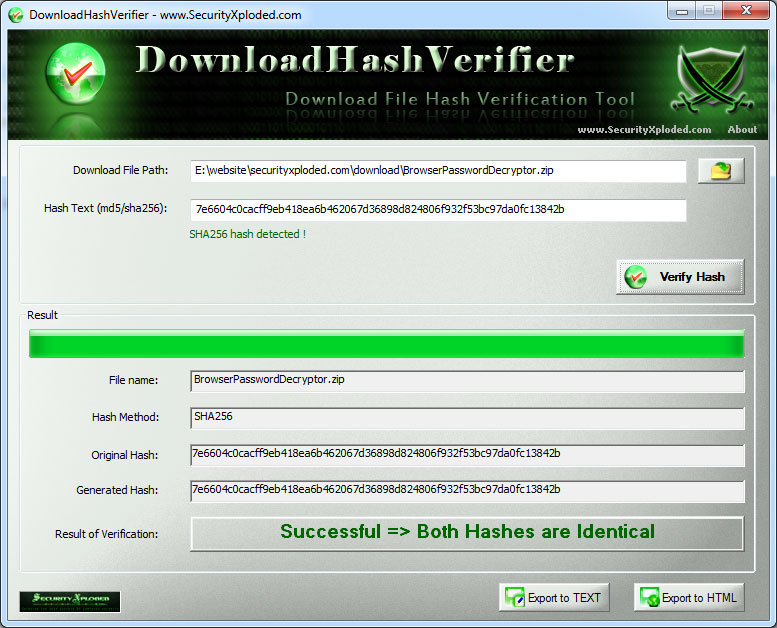
  • Next Cilck on 'Verify Hash' button. It will generate a new hash and compare both the hashes to dispaly the result as shown below.
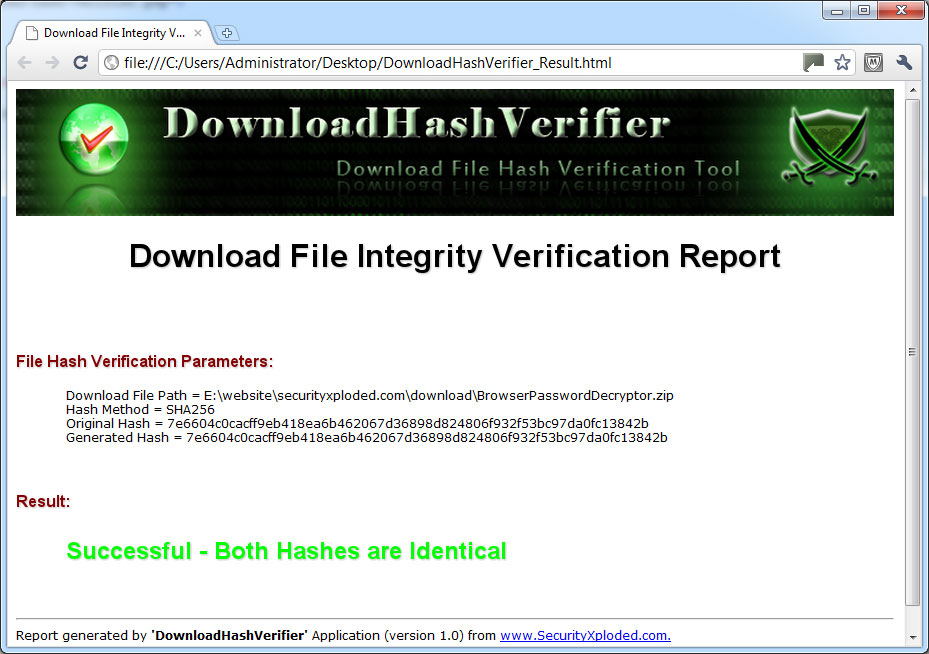
  • After that you can export the report to HTML/Text file by clicking on 'Export' button and then select the type of file from the drop down box of 'Save File Dialog'.
Here instead of selecting a file you can also directly enter or paste any text (up to 250 characters) and generate the hash for it. 


Screenshots
Here are the screenshots of DownloadHashVerifier
 
Screenshot 1:DownloadHashVerifier is verifying the downloaded file based on SHA256 hash.
 
DownloadHashVerifier
 
 
Screenshot 2:  HTML based File hash verification report generated by DownloadHashVerifier
 
download hash verifier


Release History
Version 2.0 :  28th Feb 2012
Right click context menu integration - now you can directly launch it by right clicking on the downloaded file. Other changes include Export to HTML/Text option in one button, Enhnaced user interface with new banner etc.
 
Version 1.0 :  27th Mar 2011
First public release of DownloadHashVerifier


Download
FREE Download DownloadHashVerifier v2.0

License  : Freeware
Platform : Windows XP, 2003, Vista, Win7

Download


See Also